Getting Started in Ride Operator Simulator
Join the BETA, load Orkanen, power the station, and complete your first full dispatch cycle.
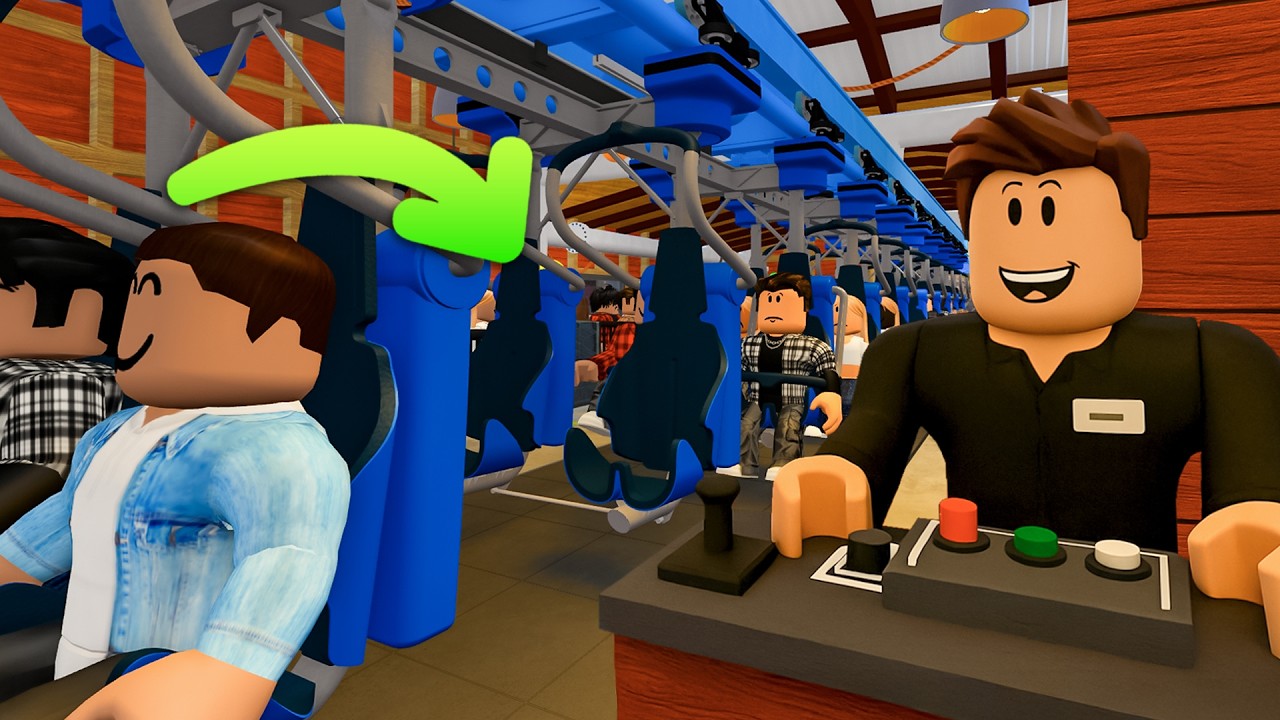
This Getting Started guide walks you from the Roblox place page into your first successful dispatch in Ride Operator Simulator (RideOps Simulator | BETA). You will confirm access, create or join a ride server, power Orkanen, run gates and restraints, walk the train, and send guests when the panel shows clear. After this page, deepen the loop in How to Operate, plan currency in Coaster Credits, and bring friends via Multiplayer.
What the game actually is
RideOps is a simulation experience: you operate recreated real-world roller coasters and rides from the operator’s perspective. You earn Coaster Credits by keeping guests moving through the station at an acceptable rate. The project is early-access; unfinished panels, engineer stubs, and temporary PC-focused bug-fix windows are expected. Official messaging asks players to expect bugs while the team iterates.
Community scale is still modest compared with mass-market Roblox sims—roughly tens of thousands of visits and about a thousand-plus favorites—with servers sized for cooperative crews (max around 25). That small footprint is a feature: one solid crew can run a professional-feeling station without chaos.
Confirm access before you load in
Historically, playtime has been gated by the Coaster Club gamepass. The team also announces free windows on Discord when they open the experience more widely. Before you buy anything or assume a lockout is a bug:
- Open the Roblox place and read the live description.
- Join the RideOps Discord (older invites such as vQB2jGyrvH may still appear in archived videos).
- Follow @RBXRideOps for short access notices.
- Prefer PC if Discord or social posts say other devices are temporarily limited during fixes.
Bookmark the Links Hub and Updates so you are not guessing from outdated clips.
First launch checklist
- Launch RideOps Simulator | BETA from Roblox.
- Review lobby tabs: partners / upcoming attractions, settings, shop (credits / passes), operators / servers, and the create-ride flow.
- Note which rides are selectable. Early BETA focus is Orkanen (Djurs Sommerland). UNCHARTED (PortAventura) and a Hyperia recreation have been announced or teased—they may appear as previews before they are operable.
- Create a server for Orkanen, or join an existing public/private crew from the operator list.
- Spawn in, find the power workflow, and do not rush guests until power and panels are online.
If the lobby shows no active servers, create your own. Solo practice is valid; multiplayer simply splits the same duties faster—see Multiplayer.
Your first power-up
On Orkanen-style setups you typically:
- Locate the power station / main power interaction and bring the ride online.
- Walk the power panels and switch each required panel so the station is fully energized.
- Confirm you are not trying to board guests on a dark or half-powered ride.
Only after power is stable should you touch entrance gates and restraint controls. Rushing boarding on an unpowered station wastes time and confuses the clear logic. The mid-article video on this page shows a first-person look at unlocking restraints, walking checks, and that first dispatch thrill—use it as a visual companion, not a substitute for reading the panel states yourself.
First boarding cycle (solo)
Once power is good:
- Unlock restraints so the previous (or empty) train can unload if needed.
- Open entrance / air gates so guests can enter the platform rows.
- When the station is loaded, close gates.
- Lock restraints, then manually seat / close individual restraint checks as the ride requires.
- Walk the train: look for clear rows, odd guest states, and prohibited items (phones, balloons, and similar props appear in community footage). You can often still dispatch with minor contraband, but building the habit of checking matters.
- Press or confirm clear only when gates and restraints satisfy the dispatch interlock.
- Move to the dispatch control and send the train when the indicator allows it.
Then repeat: wait for the train to return and stop, unlock, open gates, reload, lock, walk, clear, dispatch. That loop is the whole early game. Refine timing and queue switching in How to Operate.
Queues, Fast Track, and guest satisfaction
Guest happiness depends on keeping the queue moving at an acceptable rate. Many sessions expose main and Fast Track style queue controls. If Fast Track balloons while main is empty—or the reverse—switch focus so the platform keeps filling without absurd wait spikes. CCTV (when available in your build) helps you monitor air gates and queue lines without leaving the booth mindset.
You do not need perfect theme-park realism on day one. You need steady cycles. Credits scale with successful guest throughput over time; panic-clicking open gates while restraints are wrong usually blocks dispatch and hurts the rate you care about.
What to ignore on day one
- Incomplete engineer call buttons that do nothing yet.
- Shop purchases until you understand credit sinks in Coaster Credits.
- Speculation about every future ride. Master Orkanen first.
- Unverified promo strings—only redeem entries listed on Codes when the page shows live rewards. This wiki never invents codes.
- Random client scripts from Scripts while you are still learning panels; learn the legitimate loop first.
After your first successful dispatch
Celebrate the first green dispatch, then set a short goal: ten clean cycles without forgetting a lock or gate. Next, invite one friend and split walk-through versus booth duties. Track whether Coaster Credits are persisting across sessions (community reports often note credits save even when day progress feels temporary). Finally, skim Tier List and Players for community priority talk once more rides unlock.
Controls and comfort tips
RideOps rewards deliberate clicking over twitch aiming. Bind or remember how you interact with world buttons so you are not fighting the camera at the dispatch desk. If a bug-fix window asks for PC, use keyboard and mouse for panel precision. Keep Discord open in a second window during BETA nights so a sudden free-access close or patch does not strand you mid-session.
Related pages
- How to Operate — deeper station procedure, CCTV, and clear discipline.
- Coaster Credits — why throughput equals unlock power.
- Multiplayer — crew roles and server etiquette.
- Guides Hub — full tutorial index.
- Updates / Codes / Wiki links — live access and socials.
When Orkanen feels automatic, you are ready for longer farm sessions and for whatever attraction the industry shop unlocks next.
Frequently Asked Questions
Quick answers for Ride Operator Simulator players.
Do I need Coaster Club to play Ride Operator Simulator?
Access has often required the Coaster Club gamepass, but free windows are announced on Discord. Always verify on the live Roblox page and official Discord before purchasing.
Which ride should I operate first?
Start with Orkanen from Djurs Sommerland—the first widely available coaster in the BETA. Learn its full cycle before chasing announced attractions like UNCHARTED or Hyperia.
Why can I not dispatch even though guests are seated?
Dispatch usually stays locked until power, gates, and restraints all satisfy the clear interlock. Close gates, finish locking restraints, walk the train, then clear and dispatch.
Are Coaster Credits saved?
Players commonly report that Coaster Credits persist even when day or shift flavor resets. Treat credits as your long-term unlock currency and confirm behavior after each major update.
Is PC required?
Not always, but the team has limited play to PC during some bug-fix periods. If Discord says PC-only, use a computer until other devices are re-enabled.